

Reading what a run says
A run says what it found on the screen as it goes, in report.json when it ends, in report.html
beside it, the same run as a page, and, with --store, in run.sqlite. This chapter reads each
with a question in mind. Every line and
every key is listed in What a run leaves behind, and every kind of fault in The
faults RESTest reports; this chapter is about using them.
A fault, line by line
Section titled “A fault, line by line”A fault from the clinic, as the screen prints it:
error Internal server error (F100) getVisit - GET http://localhost:9966/petclinic/api/visits/-2147483649 -> 500 the API answered 500, so it fell over while handling this request curl -i -X GET 'http://localhost:9966/petclinic/api/visits/-2147483649' -H 'Accept: application/json' -H 'User-Agent: RESTest/2.0'errorsays how serious it is. An error is the API failing at its job: it fell over, never answered, or accepted what its own document forbids. A warning, below, is the API answering something its document does not describe, where the document may be the one out of date. A run that finds an error ends with1; one that finds only warnings, with0(chapter 9).Internal server error (F100)is the kind of fault, in RESTest's words, and its number from a catalogue several testing tools share. A number from 900 up, such asF920, is one of the few kinds the catalogue has no number for, numbered by RESTest itself. The title is also the name of the check that reports it:checks.internalServerErrorswitches it off.- The second line is the request: the operation, by the name the document gives it, then the method and the address, and after the arrow what the API answered. This one asked for a visit by an identifier one below the smallest whole number the clinic can hold, and instead of refusing it, the clinic fell over.
- The third says what is wrong, in a sentence.
- The last is a
curlcommand that sends exactly the same request again. Paste it into a terminal and the clinic falls over the same way, which is what whoever fixes it will want to see.
A reply off its schema, F200, is a warning, and says more, because a reply can be wrong in several
places at once. The screen prints the first ten warnings a run finds, and on the clinic those are
nearly all status codes and content types its document leaves out, so this one is from a run with
those two checks switched off (checks.undeclaredStatusCode and checks.undeclaredContentType):
warning Reply off schema (F200) listPets - GET http://localhost:9966/petclinic/api/pets -> 200 the body does not match the shape the specification declares for it, answering 200 as application/json /2/type: null found, object expected /3/type: null found, object expected curl -i -X GET 'http://localhost:9966/petclinic/api/pets' -H 'Accept: application/json' -H 'User-Agent: RESTest/2.0'The indented lines under the sentence are the places in the reply that disagree with the document, and how: here, two pets of the list have no type, where the document says every pet has one. A reply that leaves out something the document calls required, or sends a number as text, shows here. That is why it is a warning: either side can be wrong, the API or the document describing it.
The summary
Section titled “The summary”7015 requests to 43 operations in 30.0s, 9% of it idle opening lap: 43 requests in 2.4s, 35 of 43 operations answered 2xx 2422 2xx, 936 3xx, 2637 4xx, 1020 5xx 482 of them were pushing at the API with values nobody sensible would send, which accounts for some of the 2637 refusals above 1032 of them changed one thing in a request the API had accepted 407 of them were steps of 119 series about a thing the run created: createTwice 67, safeGet 72, putTwice 132, writeUnderDeleted 12, readAfterDelete 71, deleteTwice 53; 114 creation(s) meant to begin one were not accepted 30 operation(s) answered 500, 30 answered some 5xx1034 errors, on 30 operations: 1020 x Internal server error (F100) look in the API's log for what failed while it handled the request; the document is not what to fix 14 x Invalid data accepted (F206) make the API refuse what its document forbids; where the document forbids more than the API should, loosen the document instead2662 warnings, on 37 operations, which do not fail the run (checks.failOnWarnings): 1960 x Undeclared status code (F920) declare the status code for the operation in the document, or stop the API answering it 674 x Undeclared content type (F921) declare the content type for that status code in the document, or have the API send the one declared 28 x Reply off schema (F200) the API and its document disagree about the reply's body: compare the places listed with the document, and fix whichever is wrongRead it from the top:
- How much was sent: requests, operations, time, and how much of that time RESTest had nothing in flight. That last number, idle, is kept as close to nothing as possible: the budget is for testing.
- The opening lap: the first round, which sent every operation once with the request most likely to be accepted, and how many operations answered it with a success.
- How the API answered, by class of status code.
3xxis a redirection, which RESTest reports rather than follows. Mostly4xxmeans mostly refused, and then the requests are what need work: chapter 6 shows how to hand over values the API will accept. - What kind of requests were sent: how many pushed at the API on purpose, how many changed one thing in a request the API had accepted, how many were steps of a series. Their refusals are expected, and they are counted here so that they do not read as the API turning away ordinary requests.
- How many operations answered 500, and how many some 5xx. This counts operations, not replies: one broken operation asked six hundred times is six hundred replies, but one operation.
- The errors, on how many operations, each kind with what to look at under it; then the
warnings, the same way, and whether they failed the run. Errors come first because they are what
ends a run with
1. - What could not be checked, if anything: how many replies a check could not judge, in which way
and why — the shape of a body the document gives no shape for, say.
no faults foundsays nothing about a reply nobody could judge. - What could not be tested, if anything, each operation with the reason.
no faults foundsays nothing about an operation that was never tried, so read this line before celebrating.
The page
Section titled “The page”report.html, beside report.json, is the same run as a page to open in a browser: from what a
build kept, from an e-mail, on a laptop with no network. It is one file, needs nothing beside it,
fetches nothing, and shows nothing that report.json does not hold. Here is the clinic as the Web
Fuzzing Dataset builds it, as an image for Apple silicon as well
as Intel and AMD, tested by RESTest 2.4.0 for the minute it takes when no --budget is given, with
nothing but its document. To make such a run yourself:
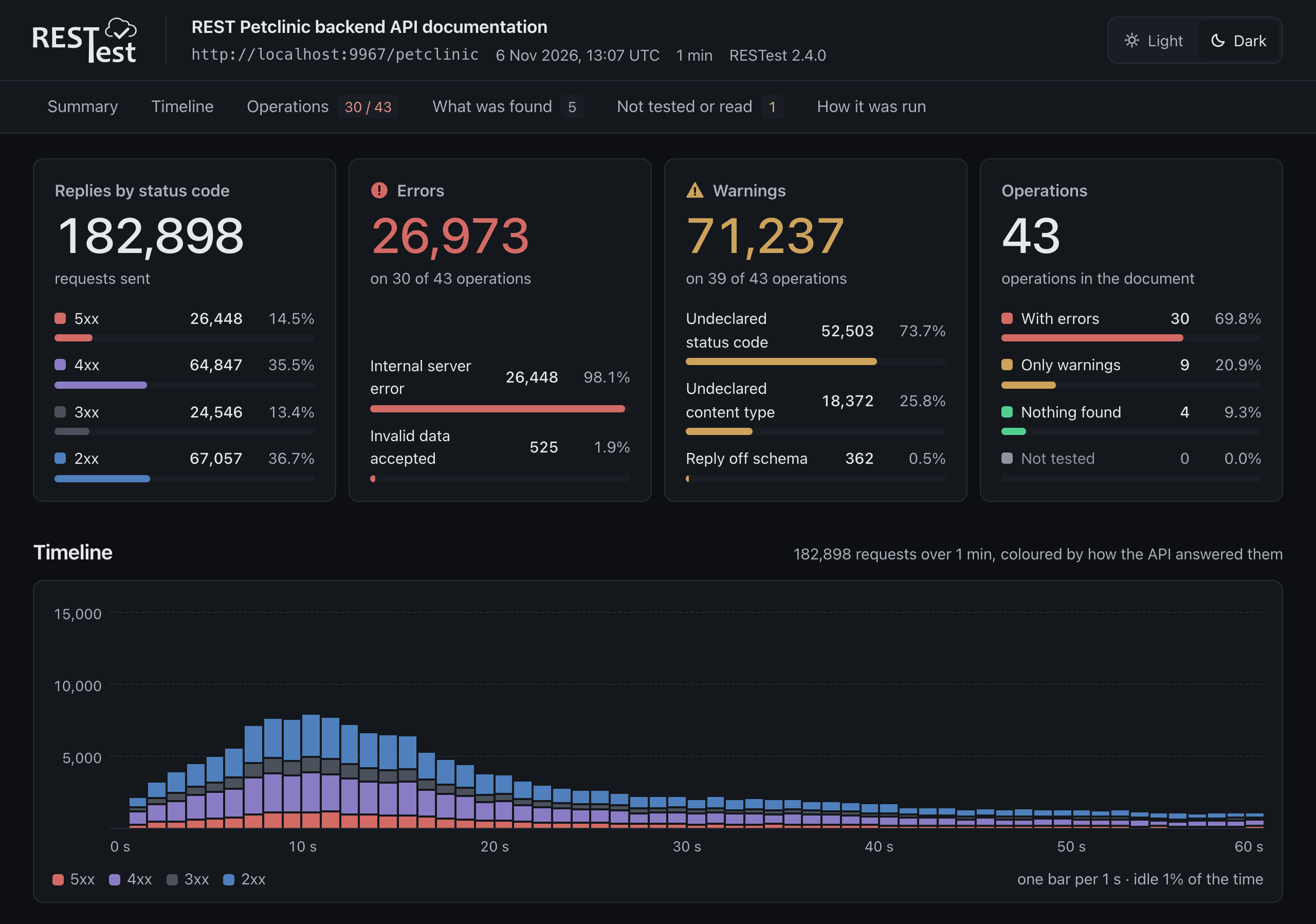
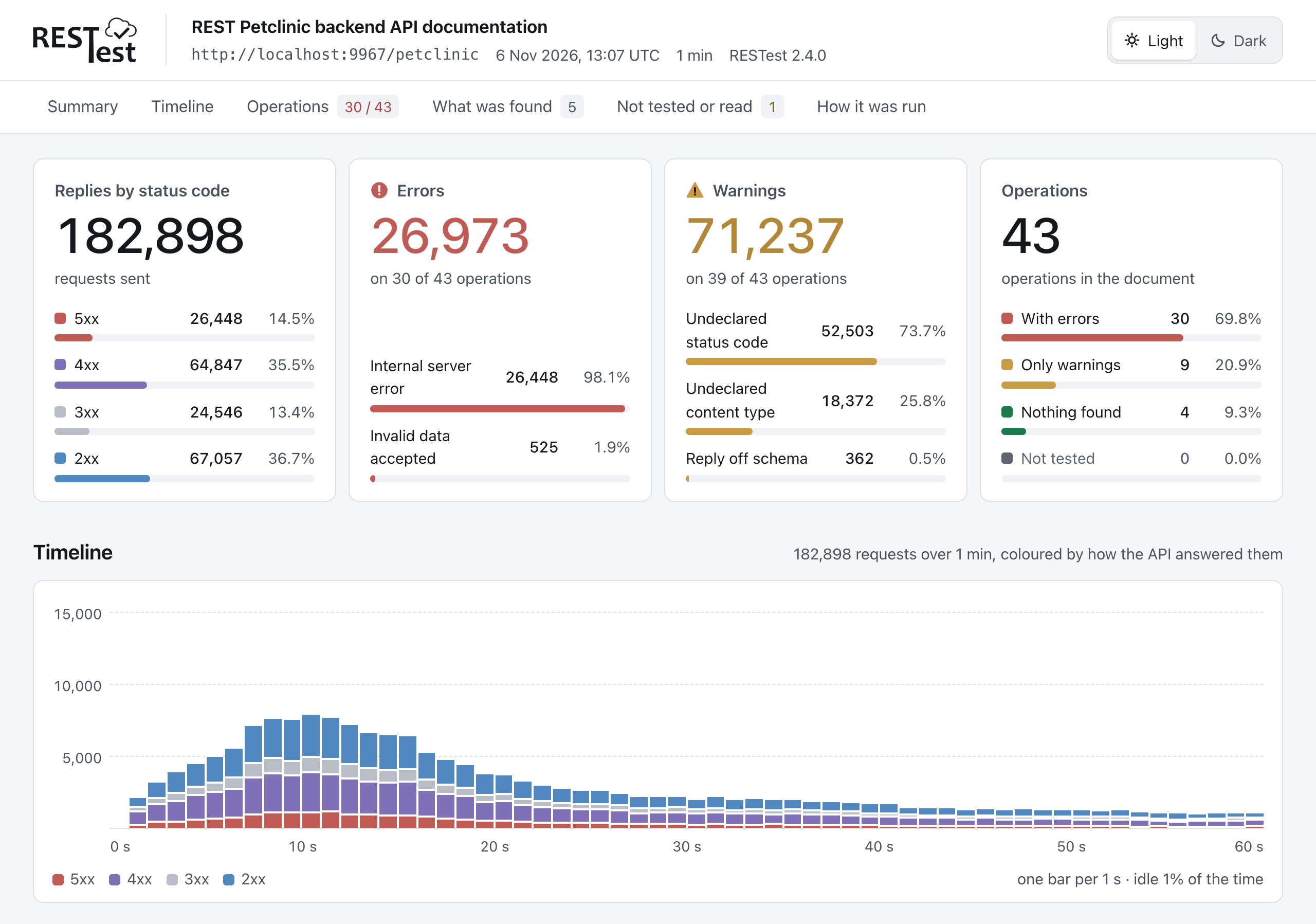
docker run -d --name clinic -p 9967:8080 webfuzzing/wfd-petclinic-rest:FINAL@sha256:88331a1fdf244ae7bbbf5a7f3f434d17b9b8c0b3f839d193007851d213e90a88restest run http://localhost:9967/petclinic/v3/api-docsThe page opens like this:
From the top:
-
Four cards: the replies by class of status code, the errors and the warnings by kind, each with on how many operations — warnings do not fail a run unless
checks.failOnWarningssays so — and the operations by what was found on them: errors, only warnings, nothing, or not tested at all. -
The timeline: how the replies came back over the time the run was given, one bar for each stretch of it.
-
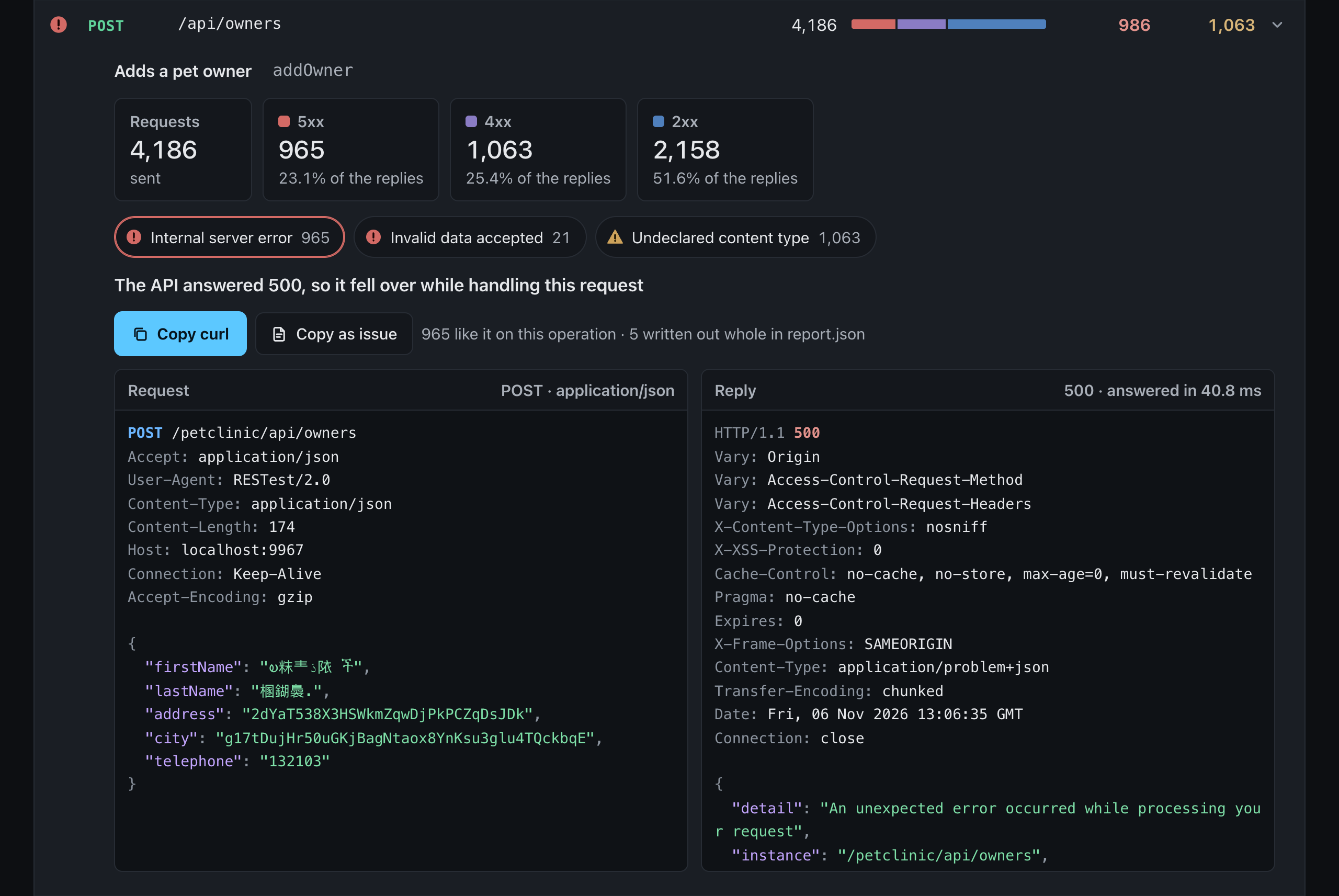
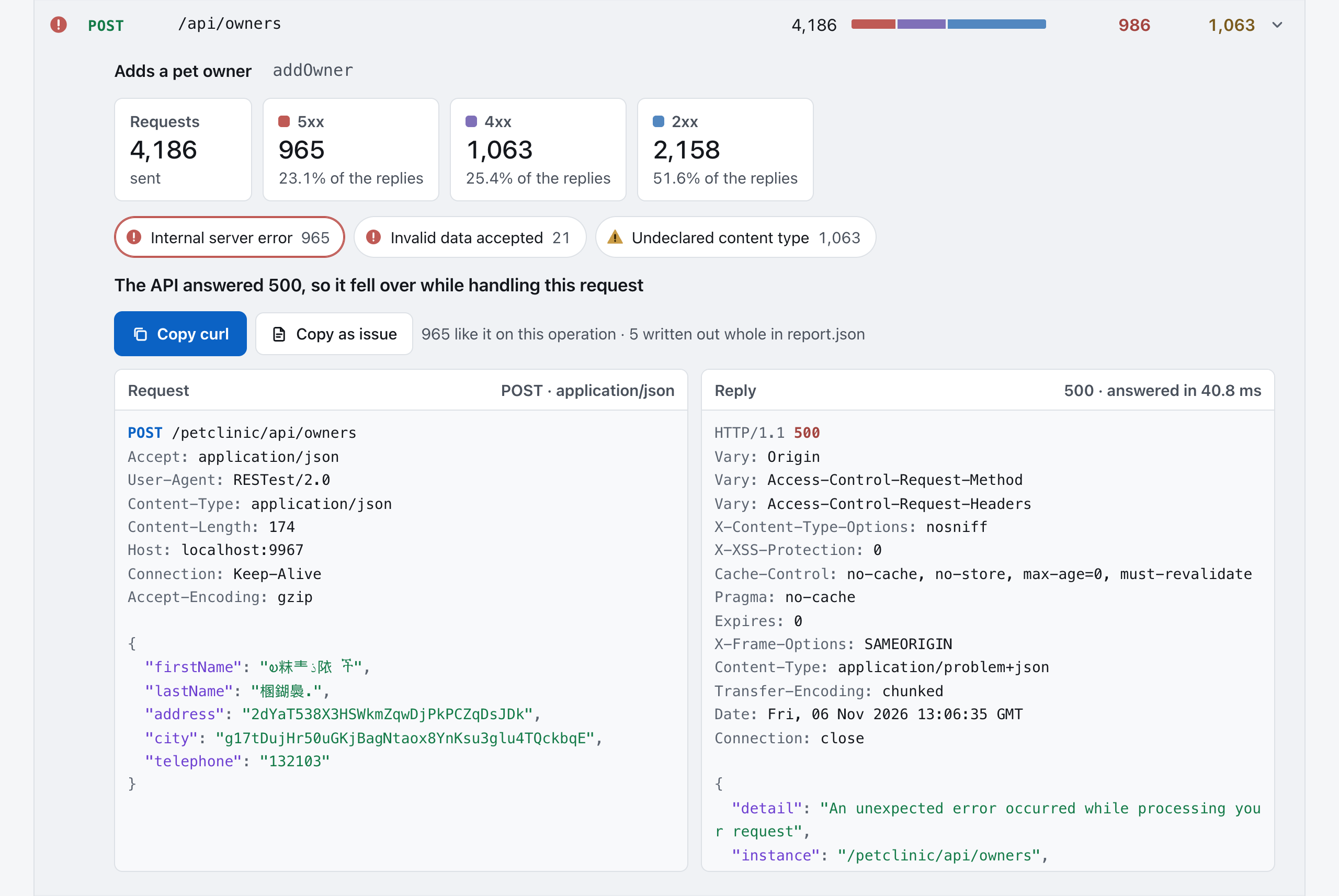
Operations: every operation the document describes, with a filter for each of those groups and a search. Open one to see how its replies divided and, for each kind of fault found on it, the first request of that kind written out whole and the reply to it. Copy curl copies the command that sends the request again; Copy as issue copies a title, the request, the reply and the command, in Markdown, ready for an issue tracker. Here one is open at its first kind of fault:
-
What was found: each kind of fault, with its number in the catalogue testing tools share — point at the number, or reach it with the keyboard, to read what it means — what to look at, in which classes of status code it came back, and the operations it was found on:
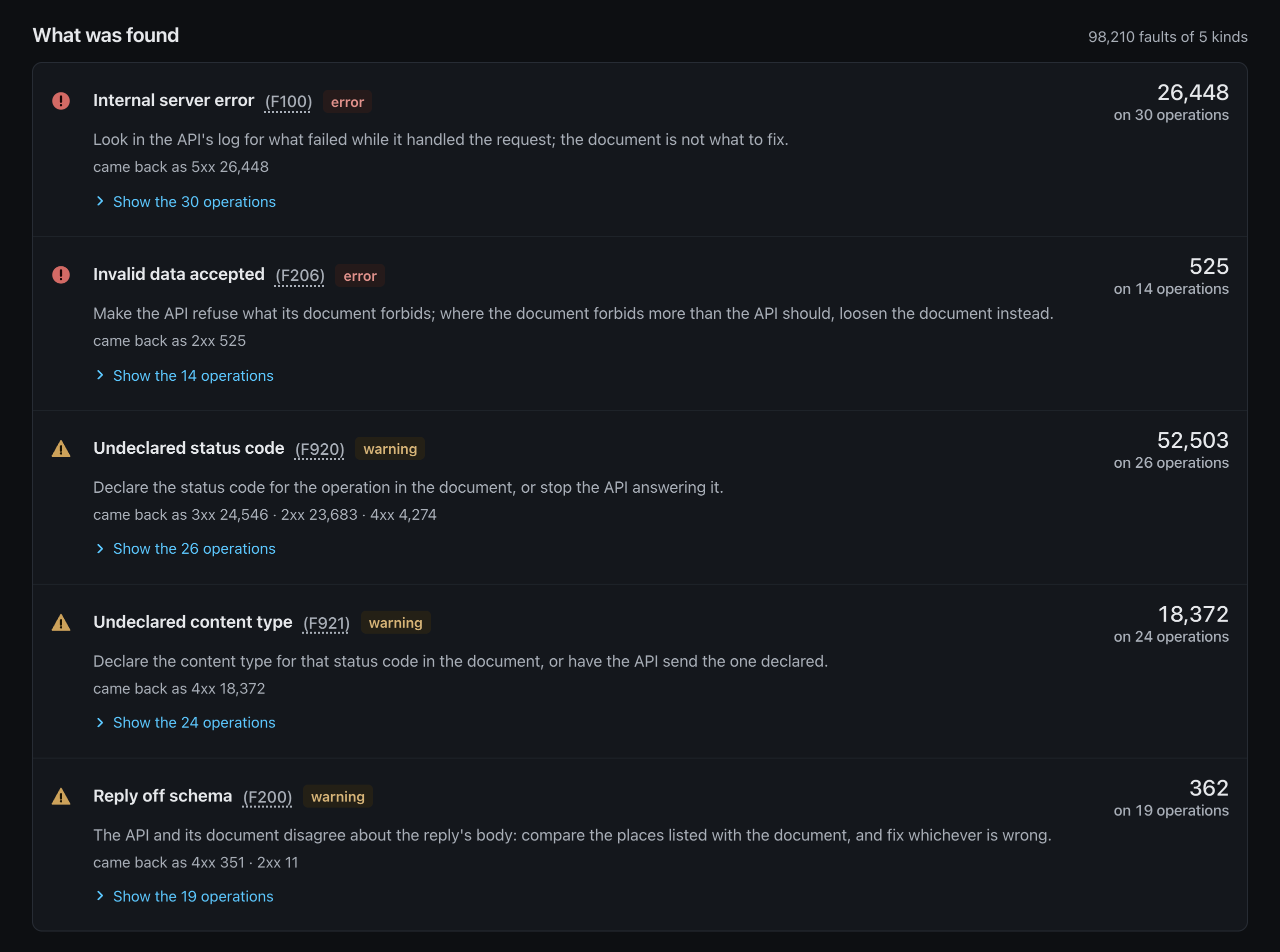
-
What could not be tested or read: operations no request went to, replies no check could judge, parts of the document that could not be read, and keys the document asks for that nobody gave.
-
How it was run: the number the run ended with and what it means, as chapter 9 gives it; the plan and the file of settings, as they were named on the command line; the time given; and whether every request and reply was kept.
The page draws itself in the browser, with JavaScript; where that is turned off, it says so and
points at report.json. A run that only a program will read can leave the page out with --set report.html=false (the settings).
Asking the report
Section titled “Asking the report”report.json holds all of it for a program to read. jq, a small
command-line tool for JSON, answers most questions in one line. These assume the report of the last
run is in restest-out/; the answers shown are those of an earlier run of the clinic, so yours will
differ. To try them without running RESTest, put the report of the run pictured above,
docs/manual/images/clinic-run/report.json, in place of
restest-out/report.json.
Which operations broke, and how often?
jq -r '.faultsByOperation[] | select(.severity == "error") | "\(.count)\t\(.title)\t\(.operation)"' restest-out/report.json | sort -rn | head -861 Internal server error getOwner56 Internal server error getSpecialty56 Internal server error getPet54 Internal server error getVisit54 Internal server error getPetType52 Internal server error addUser47 Internal server error getVet46 Internal server error addVisitToOwnerWithout the select, the warnings come too, and on the clinic they head the list: the six operations
that send a browser to its documentation page answer with a redirection its document does not
declare.
How do I reproduce the first fault?
jq -r '.findings[0].curl' restest-out/report.jsonEvery fault written out whole has one: the first five of each kind on each operation, up to a
thousand in all. The rest are counted, never lost: faultsByOperation has every one.
Did the run test everything?
jq '.skippedOperations' restest-out/report.jsonAn empty list means every operation the document describes was tried. Otherwise each entry names an operation and says why it could not be.
What did the API answer most?
jq '.replies' restest-out/report.jsonIs the second run better than the first? Keep each in a directory of its own with --out, and
compare their totals:
jq -c '.totals' runs/first/report.json runs/second/report.jsonTwo runs are only worth comparing if the API was in the same state at the start of each: start the clinic again between them.
Asking the stored run
Section titled “Asking the stored run”A run made with --store keeps every request and reply in run.sqlite, an ordinary SQLite database
with one table, interaction. Every run replaces what the one before left in restest-out/, the
stored run included, so if your last run was not made with --store — the one stopped with Ctrl-C at
the end of the last chapter was not — make one now:
restest run http://localhost:9966/petclinic/v3/api-docs --budget 30s --storesqlite3, SQLite's own command-line tool, asks it anything:
sqlite3 restest-out/run.sqlite "SELECT operation, status_code, COUNT(*) FROM interaction GROUP BY operation, status_code ORDER BY operation, status_code" | head -12addOwner|201|32addOwner|400|19addOwner|500|4addPetToOwner|201|8addPetToOwner|400|15addPetToOwner|404|14addPetToOwner|500|17addPetType|201|42addPetType|400|12addPetType|500|2addSpecialty|201|31addSpecialty|400|18Each row's document column holds the whole exchange as JSON — what the request was meant to be,
where every value in it came from, what was sent and what came back — in the same shape as the
exchange a fault in report.json carries under interaction:
sqlite3 restest-out/run.sqlite "SELECT document FROM interaction WHERE status_code = 500 ORDER BY sent_at_nanos LIMIT 1" | jq .What a run leaves behind lists every column, and every key of that document.
The next chapter changes what a run sends.